Every expense in its category.
Record supplier bills line by line, keep the receipt with the record, and get a warning before you record the same bill twice.
Spend
What you get
| Entry | What it means for you |
|---|---|
| Category, then subcategory | Utilities, then Electricity. Reports group your spending the way you think about it. |
| Receipts attached | Photo or PDF of the supplier invoice, kept with the expense. |
| Duplicate warning | Same supplier, same total, same date? It asks before saving. It never blocks you. |
| Paid and unpaid bills | Record payments to suppliers, in full or in parts, and see what is still due. |
Try it here
Log an expense with its receipt
Kape ni Lola Café records a dairy delivery from Sariwa Dairy Supply, with the receipt photo attached.
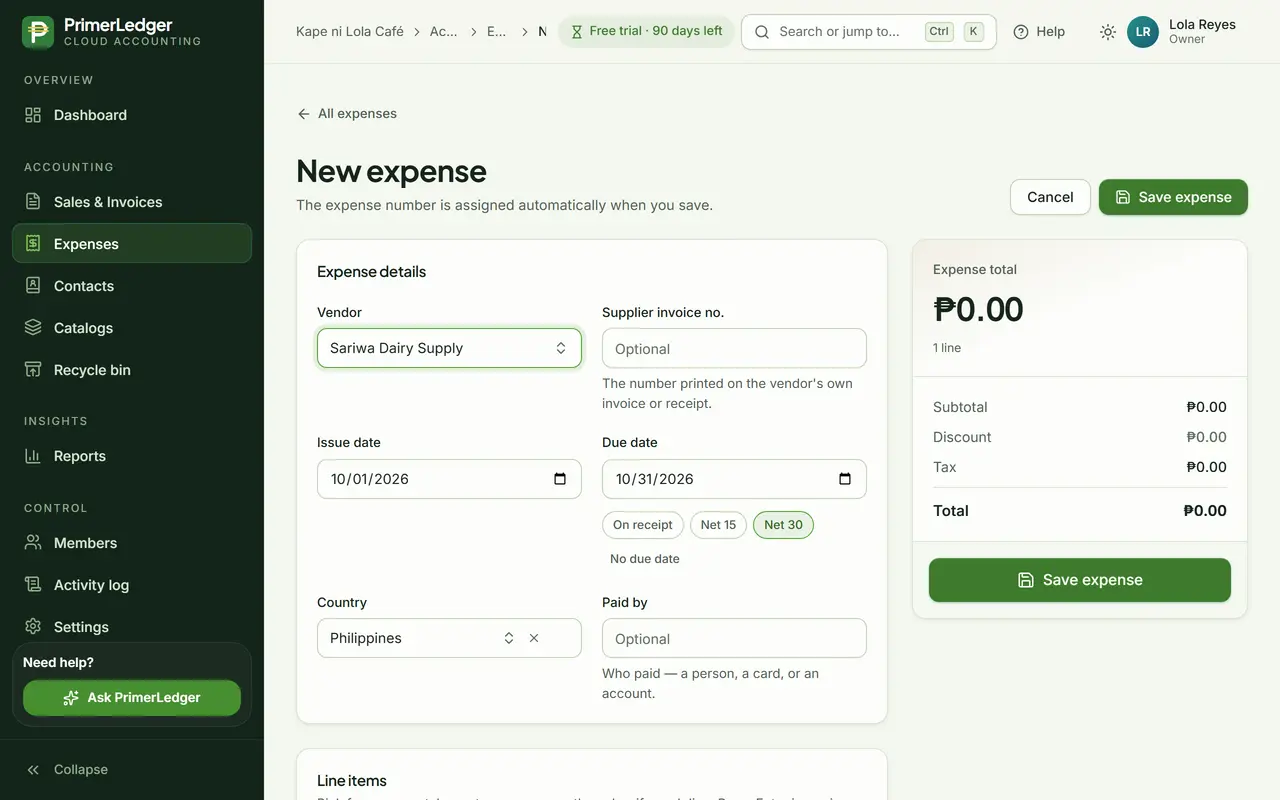
Start with the supplier
Open Expenses, press New expense and pick the supplier. Their own invoice or receipt number goes in the next field.
-
Your suppliers, or add a new one right here.
-
The number printed on the supplier's invoice or receipt.
-
Issue date and terms, so you know what is due when.
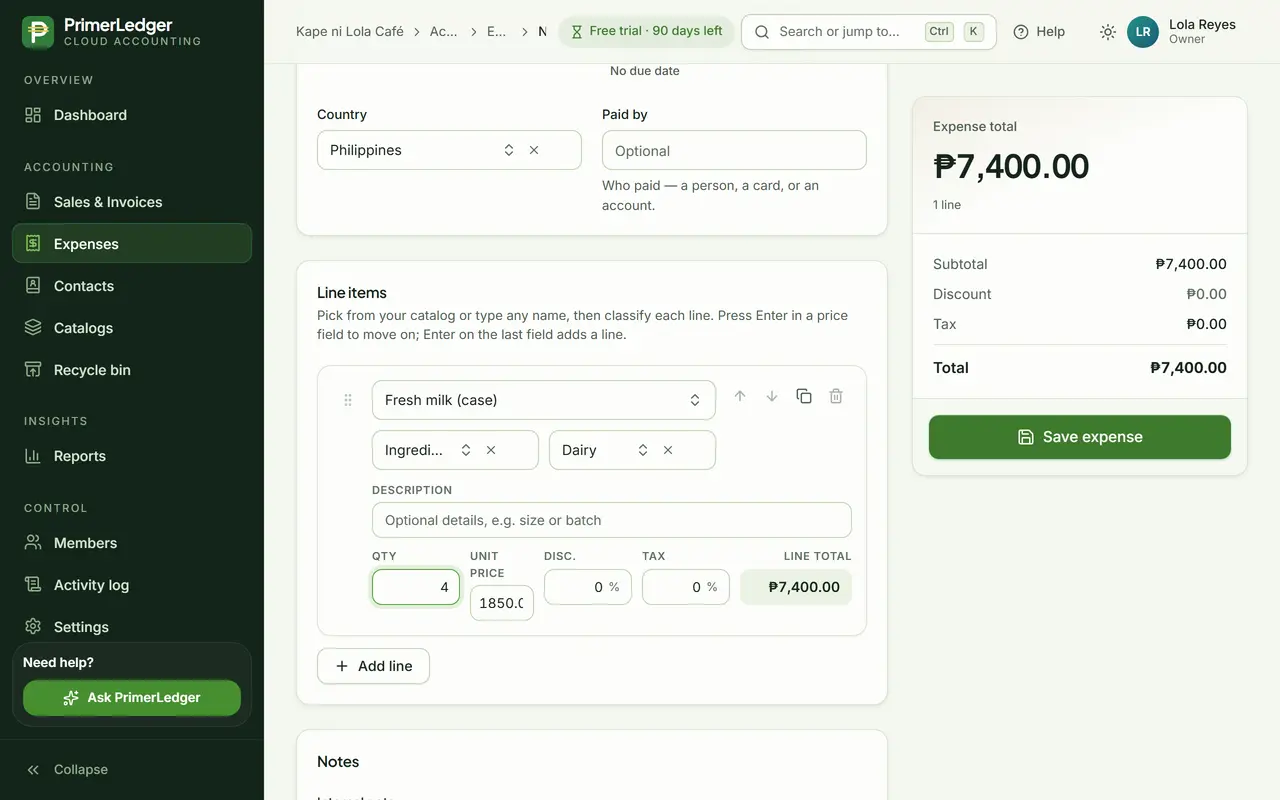
Category, then subcategory
Each line goes under a category and a subcategory, like Ingredients and then Dairy. That is what your expense reports group by.
-
The main group, from your own expense categories.
-
The detail under it. Reports can show either level.
-
Quantity times price, with discount and tax.
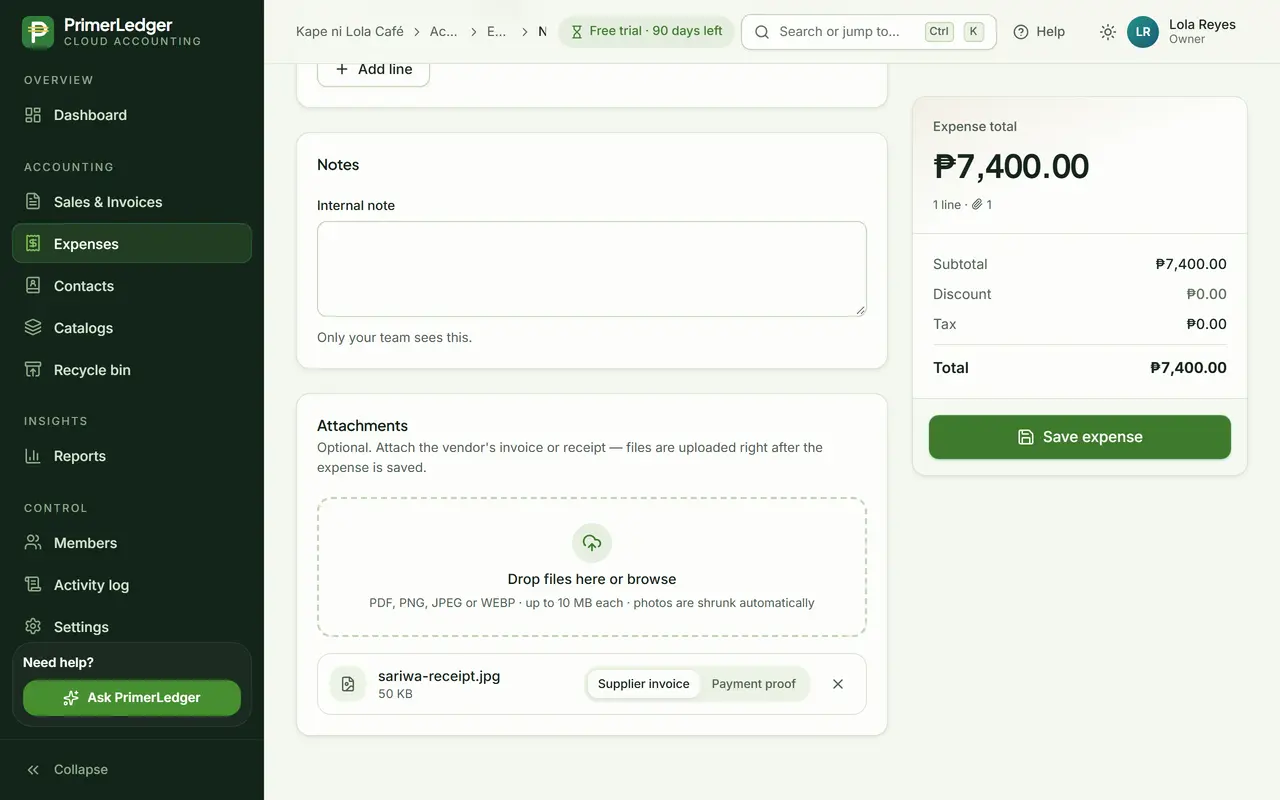
Attach the receipt
Drop in a photo of the receipt or the supplier invoice. It stays with the expense, and photos are shrunk automatically.
-
Kept with the record for as long as you keep the expense.
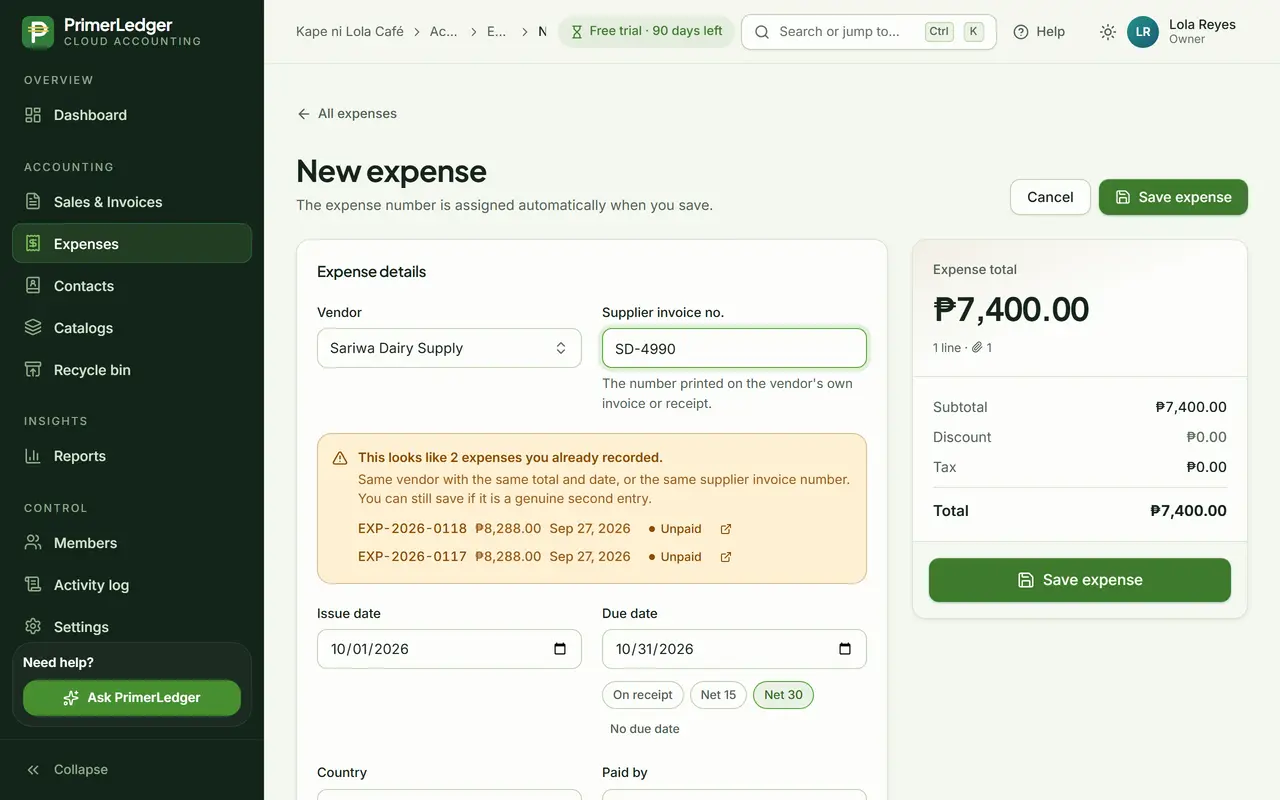
The duplicate check
Type a supplier invoice number you already recorded and PrimerLedger tells you before you save it twice. A genuine second bill can still be saved.
-
Same vendor, total and date, or the same supplier invoice number.
-
The expenses it looks like, one click away.
Done. Categorised, with the receipt attached, and checked against what you already recorded.
See it with your own numbers.
Three months free, every feature, no card needed.