Nothing disappears.
Invite your bookkeeper and staff with the right role, see every change with a name and a time, and restore anything deleted by mistake.
Keep
What you get
| Entry | What it means for you |
|---|---|
| Roles | Owner, Admin, Accountant and Viewer. People see and change only what their role allows. |
| Invitations | Send an invite by e-mail. They set their own password. |
| Activity log | Every change with who, when, and what the value was before. |
| Recycle bin | Deleted records wait in the bin. Restore with one click; only an Admin can empty it. |
Try it here
Undo a mistake
An invoice is deleted by accident. Nothing is lost: here is how it comes back.
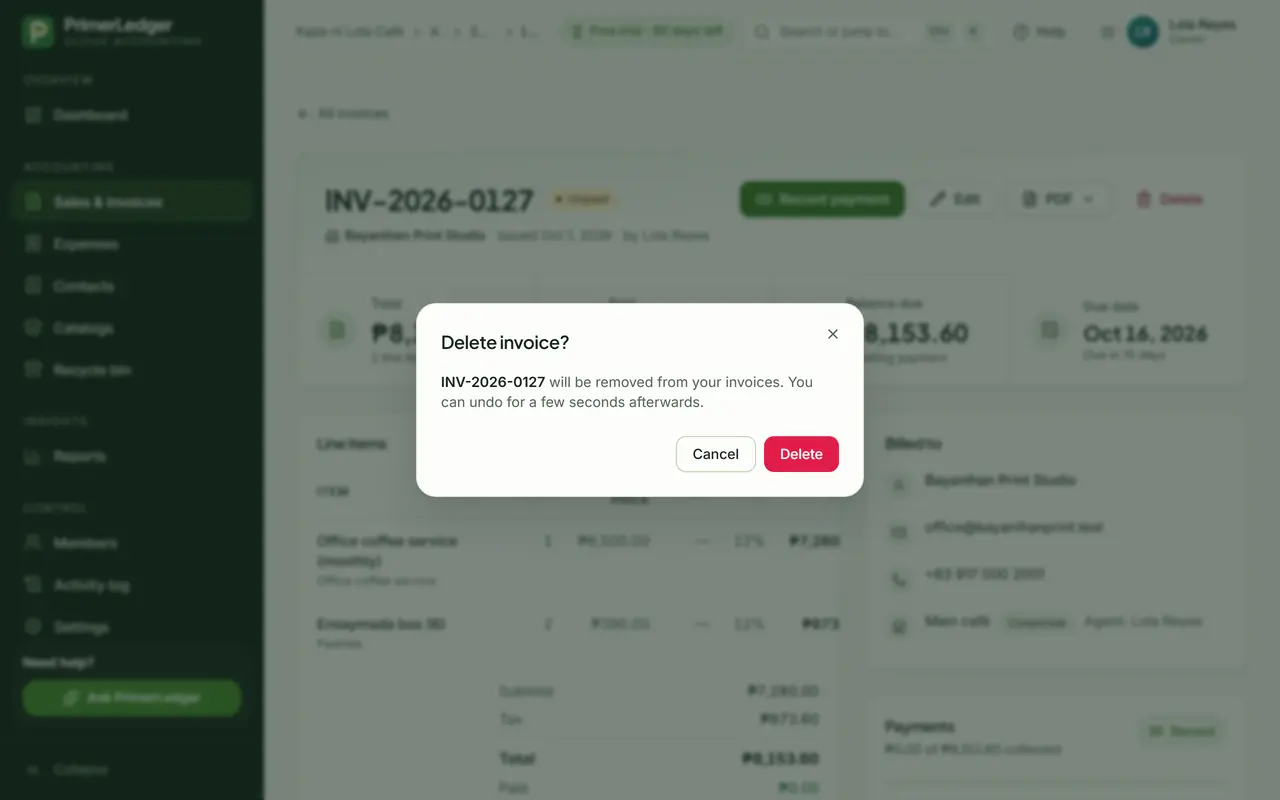
Delete by accident
Deleting asks first, and even then the invoice only moves to the Recycle Bin. Only an Owner or Admin can remove it for good.
-
Deleted invoices wait in the Recycle Bin, never gone by accident.
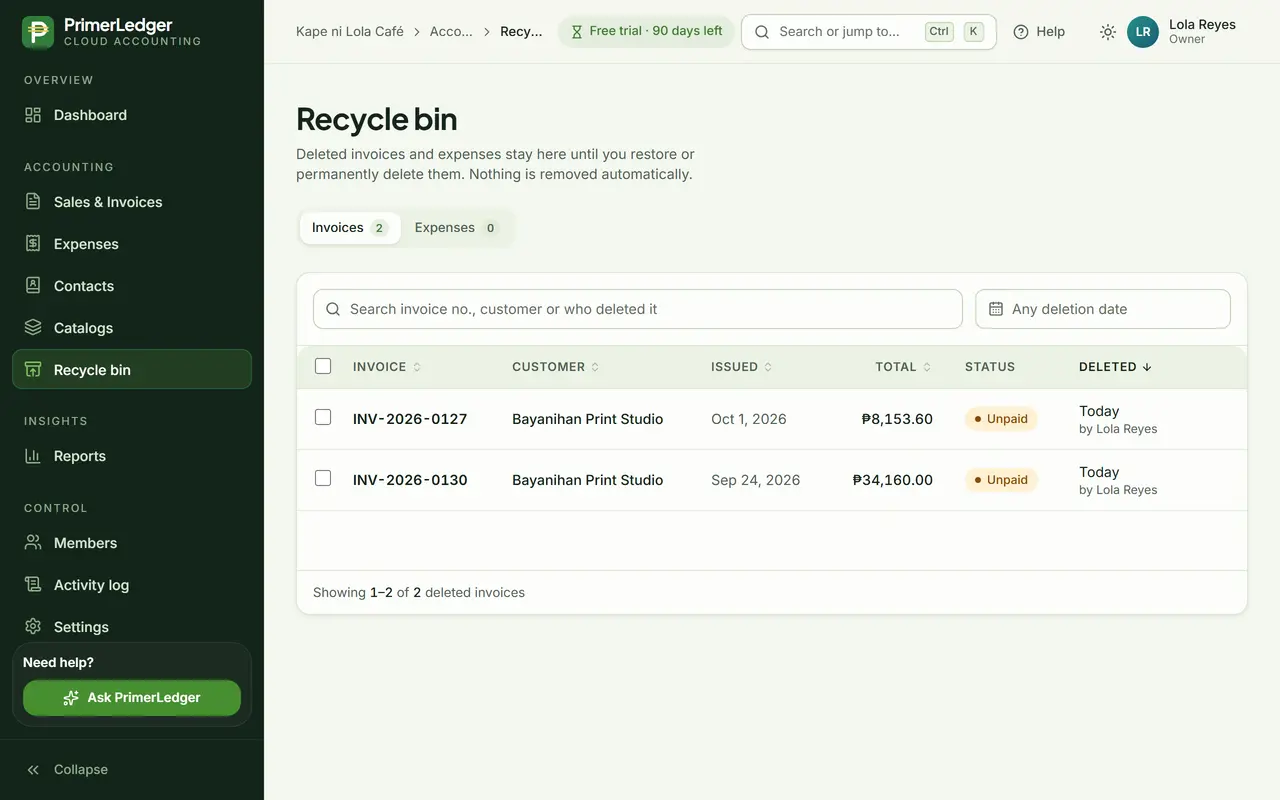
Open the Recycle Bin
Everything deleted is here, with who deleted it and when. Nothing is removed automatically.
-
Its number, customer, total and status, as it was.
-
Every deletion has a name and a time.
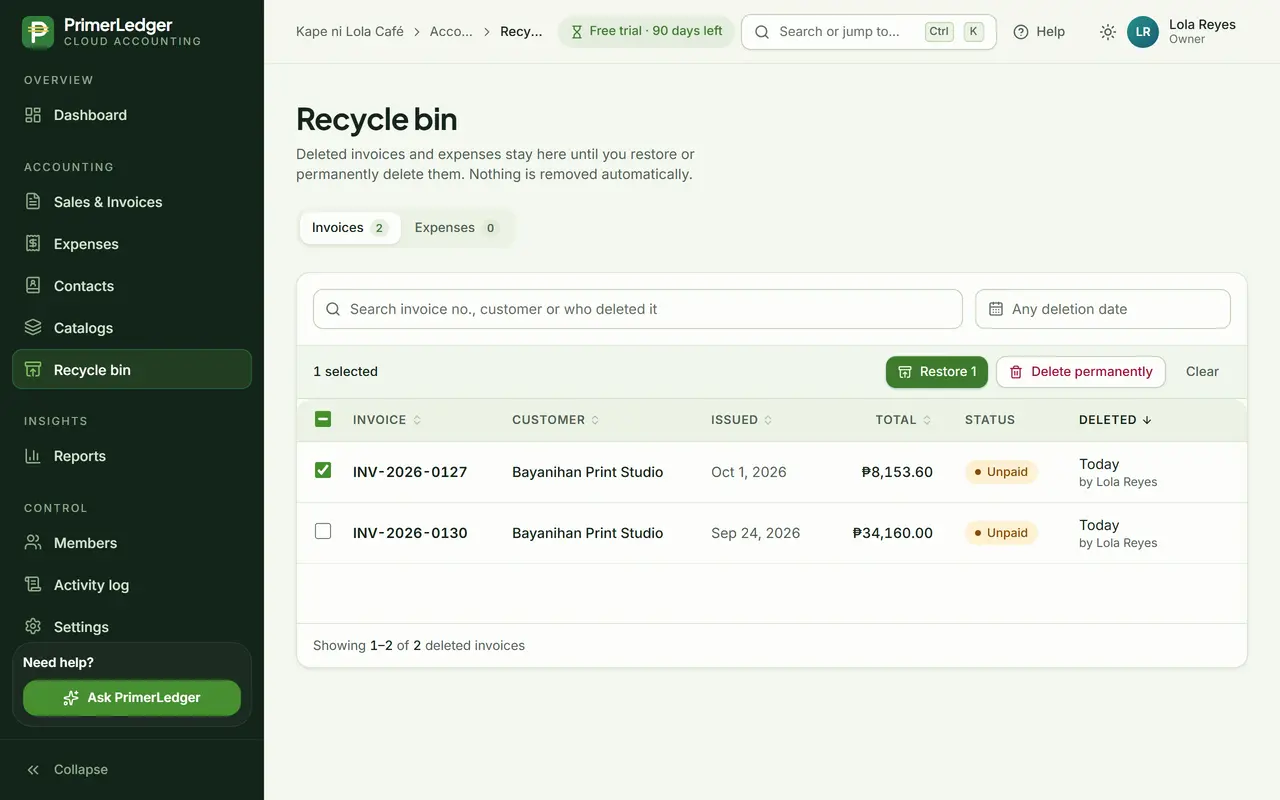
Restore it
Select it and press Restore. The invoice is back in the list with the same number, and every report includes it again.
-
One click. Same number, same payments.
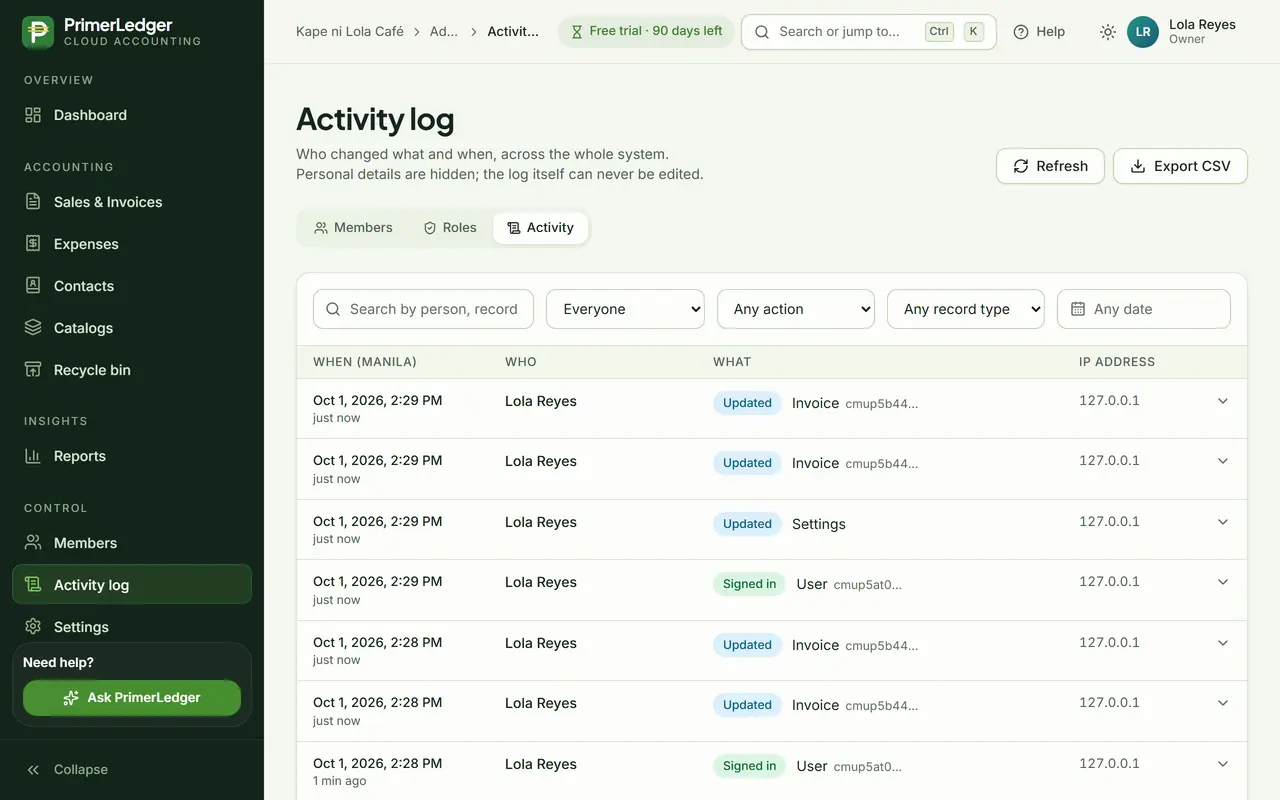
See it in the activity log
Both changes are in the activity log with the person and the time. Open an entry to see exactly what changed. The log itself cannot be edited.
-
Newest first, each with who made it and when. Open one to see what changed.
-
Find changes by person, action or record type.
Done. Deleted, restored, and both steps recorded with a name and a time.
See it with your own numbers.
Three months free, every feature, no card needed.