Every entry, and back to Excel in one click.
A single ledger of your invoices and expenses with the filters and columns you choose, exported to Excel, CSV or PDF with totals included.
See
What you get
| Entry | What it means for you |
|---|---|
| Filters and columns | By date, contact, category or status, showing only the columns you need. |
| Saved views | Save "Q3 supplier review" once and open it again next quarter. |
| Excel with formatted pesos | XLSX with ₱ formatting and a totals row, ready for your accountant. |
| CSV and PDF | For other tools, or for printing and filing. |
Try it here
Export to Excel for your accountant
Mika, Kape ni Lola Café's bookkeeper, needs last month's invoices in a spreadsheet.
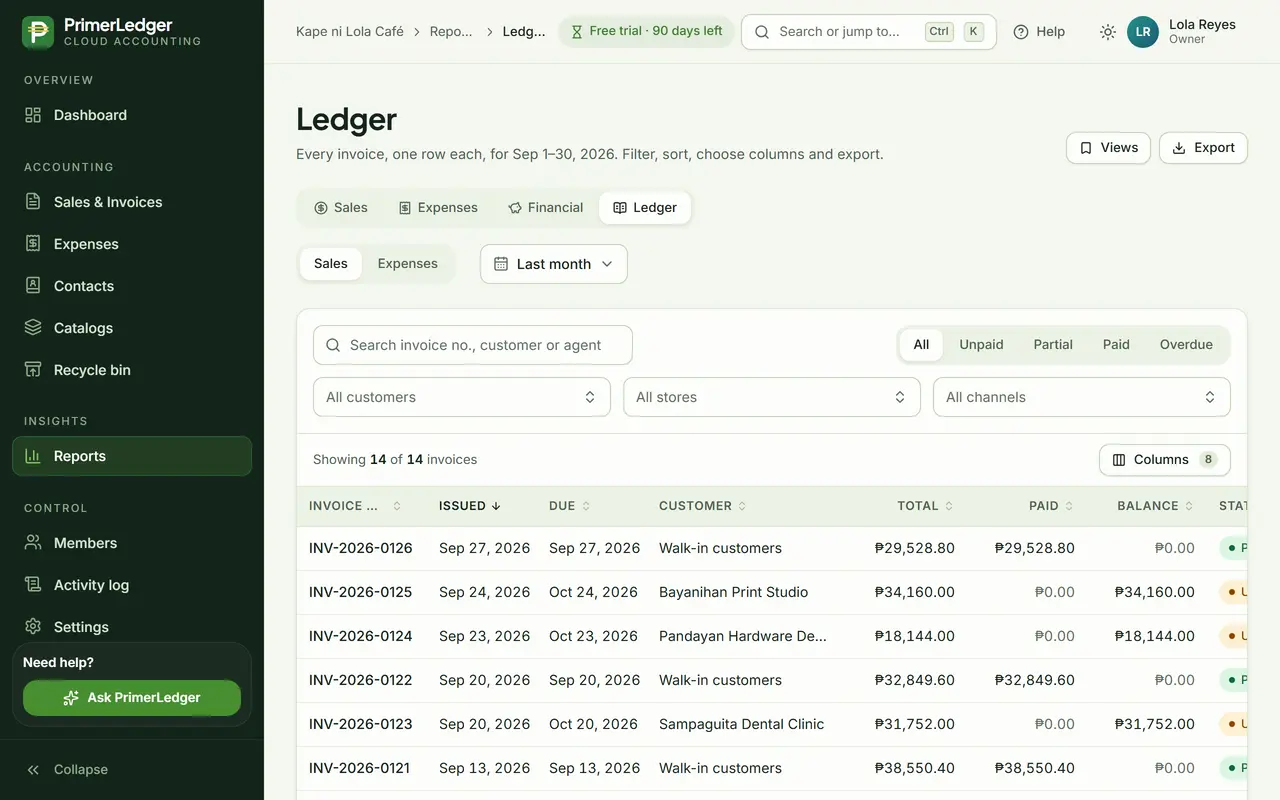
Open the ledger
Reports, then Ledger: every invoice or expense as one row each. Switch between Sales and Expenses at the top.
-
One ledger for invoices, one for expenses.
-
One row per document, with its balance and status.
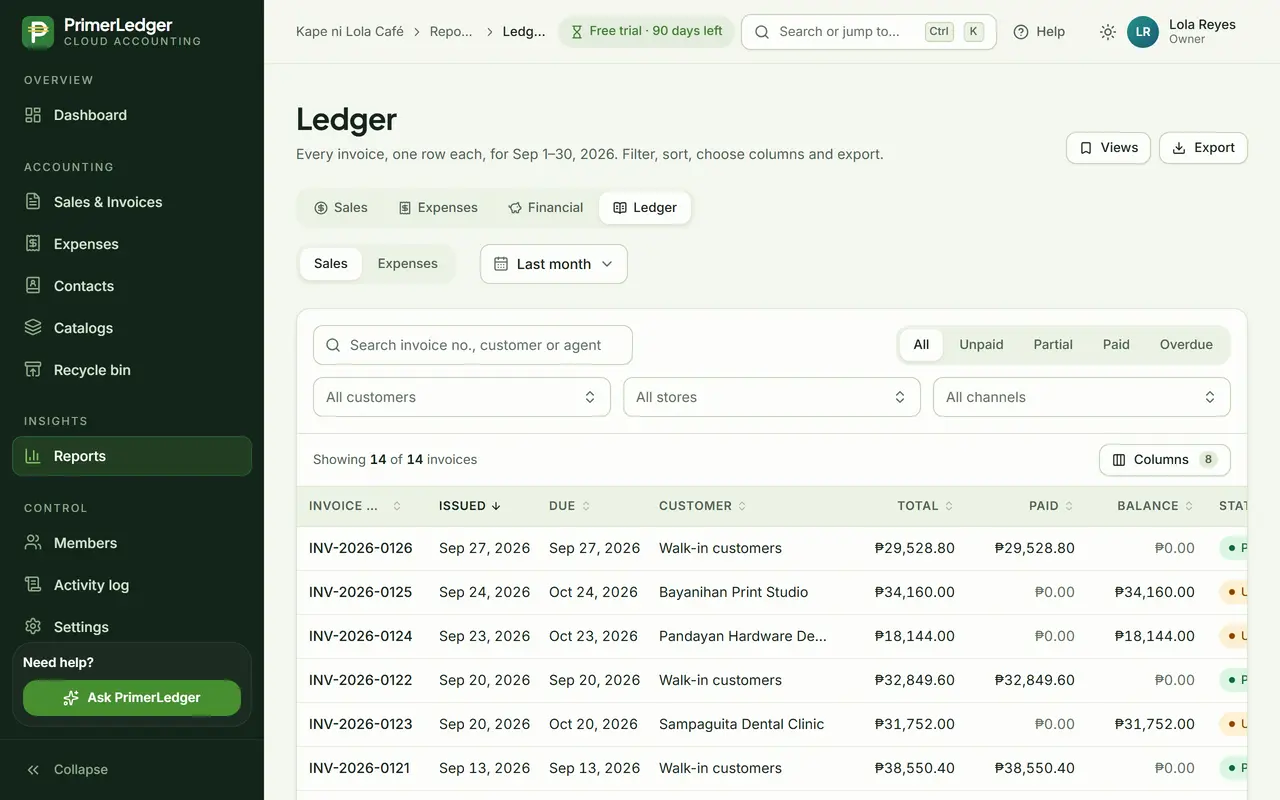
Pick the month
Choose the period, then narrow it down by status, customer, store or channel. The totals follow the filters.
-
This month, last month, a quarter, or your own dates.
-
All, unpaid, partly paid, paid or overdue.
-
Customer, store and sales channel.
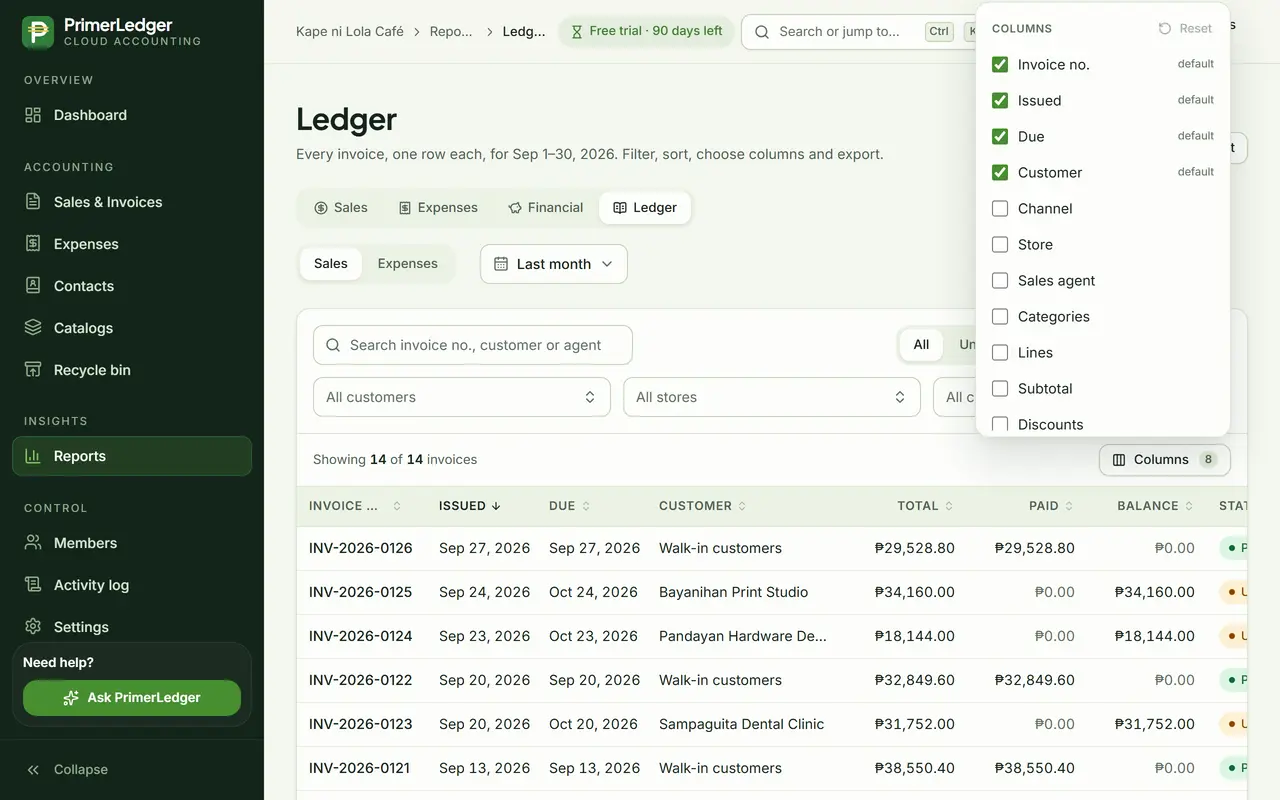
Choose the columns
Show only the columns your accountant needs. Save the view and it is there next month.
-
Tick what to show. The export uses the same columns.
-
Keep a filter and column set under a name.
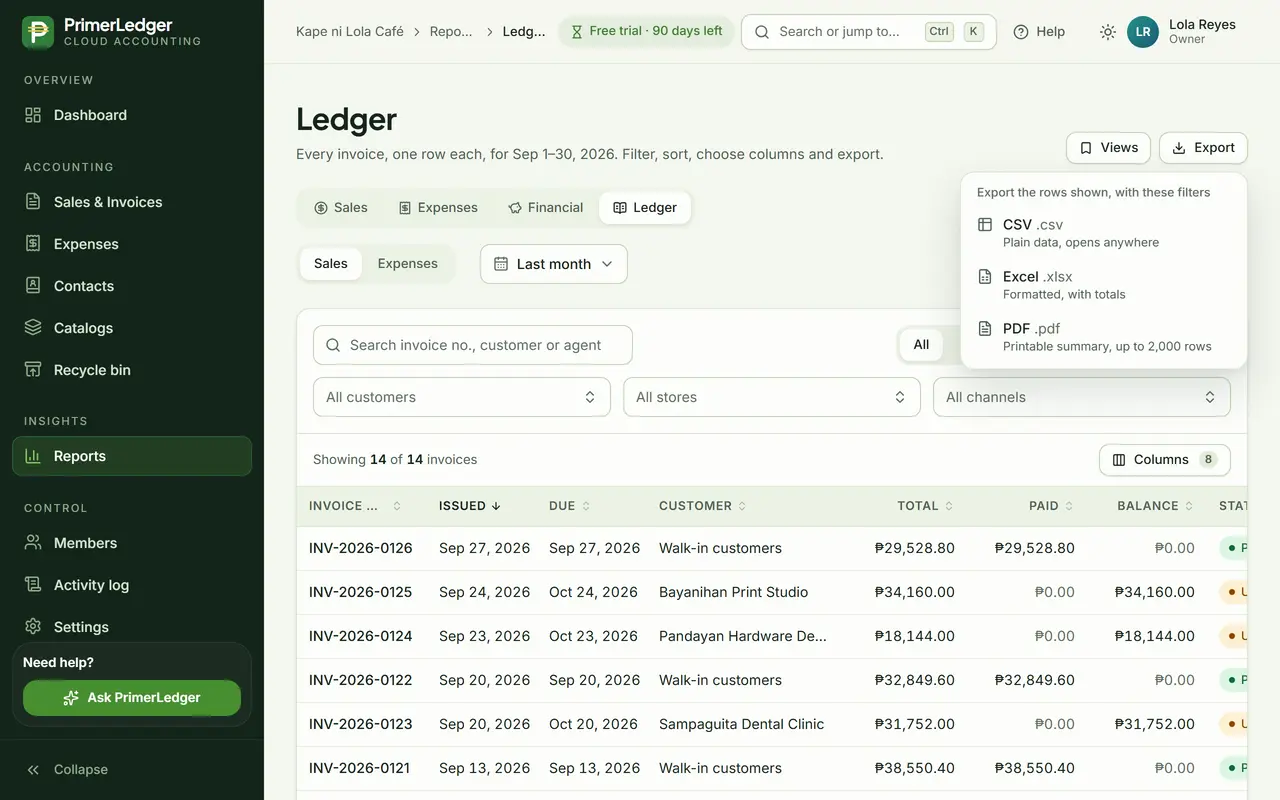
Export to Excel
Export gives you Excel, CSV or PDF of exactly what you see, with pesos formatted and a totals row. The export is noted in the activity log.
-
A real .xlsx file with formatted pesos and totals.
-
Exactly the rows and columns on screen.
Done. Every invoice of the month in a clean spreadsheet, with pesos formatted and the totals included.
See it with your own numbers.
Three months free, every feature, no card needed.