Your company on every document.
Company name, TIN, address, logo, bank details and signature once; they print on every invoice from then on.
Keep
What you get
| Entry | What it means for you |
|---|---|
| Company profile | Name, TIN, address, logo and bank or GCash details. |
| Signature or stamp | Upload an image once; it prints above the invoice footer. |
| Numbering | Prefix, number length and yearly or continuous series, per document type. |
| Preferences | Default due days and tax %, date format, light or dark theme. |
Try it here
Set up your company
Kape ni Lola Café's settings: what prints on every invoice, how documents are numbered, and who can help.
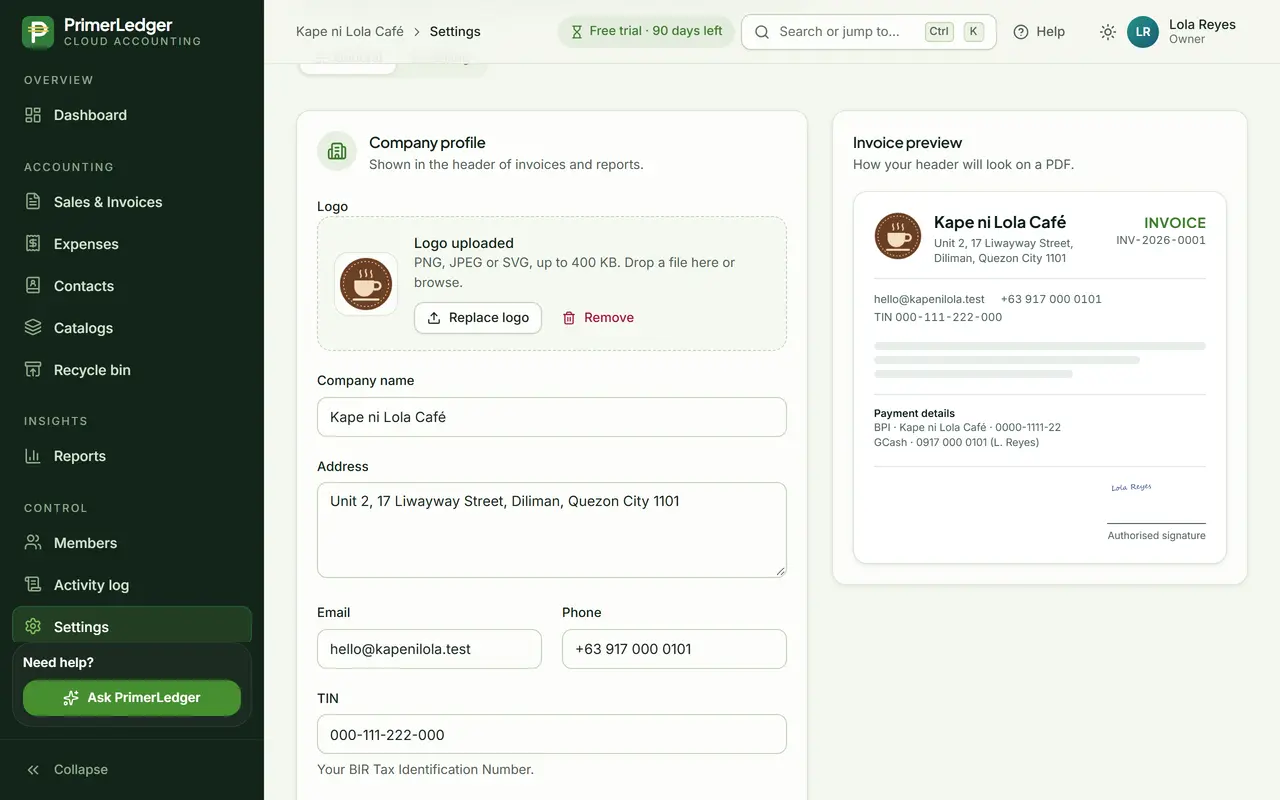
Company profile and TIN
Your business name, address, TIN, contact details and logo. They print on every invoice PDF.
-
Printed at the top of every invoice.
-
Your TIN on every document, as your customers need it.
-
See how the invoice header will look.
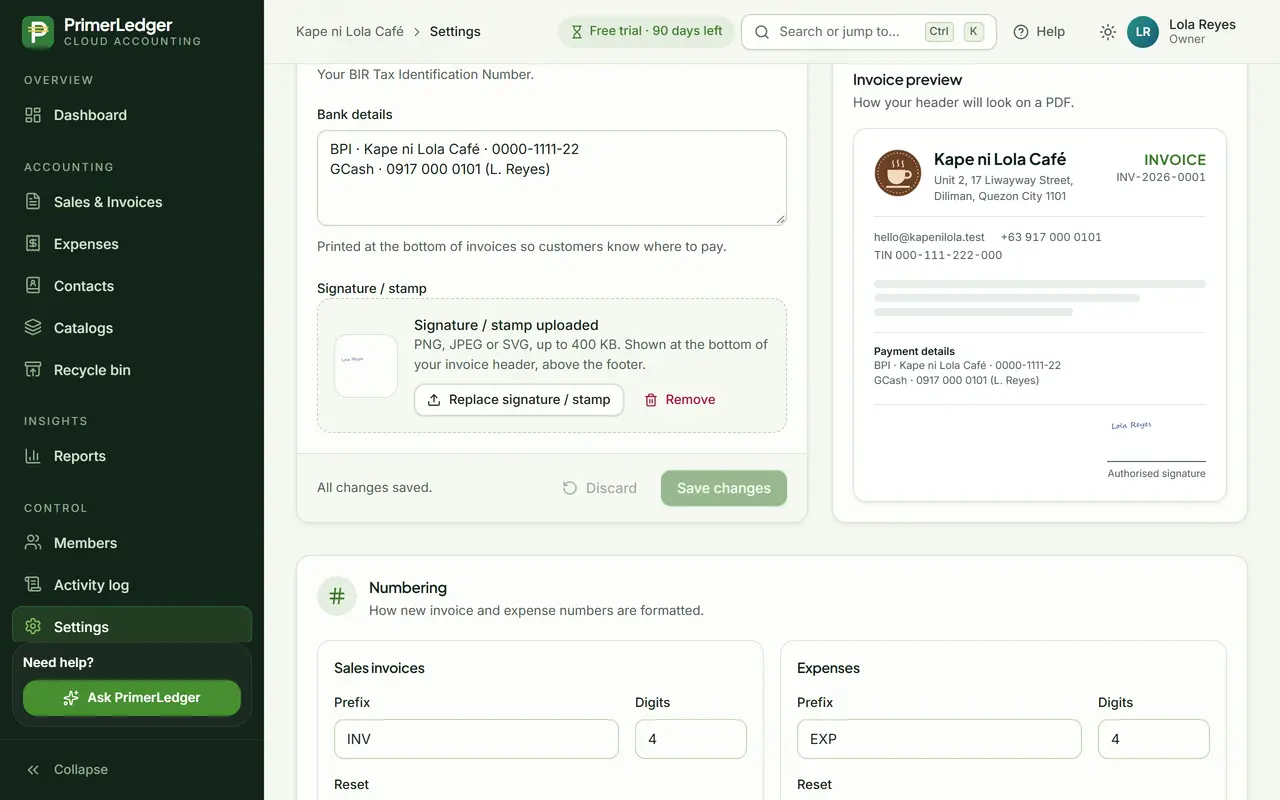
Bank details, signature and stamp
Add your bank and GCash details so customers know where to pay, and upload your signature or stamp once.
-
Printed above the footer of every invoice.
-
Bank and GCash details, printed on the invoice.
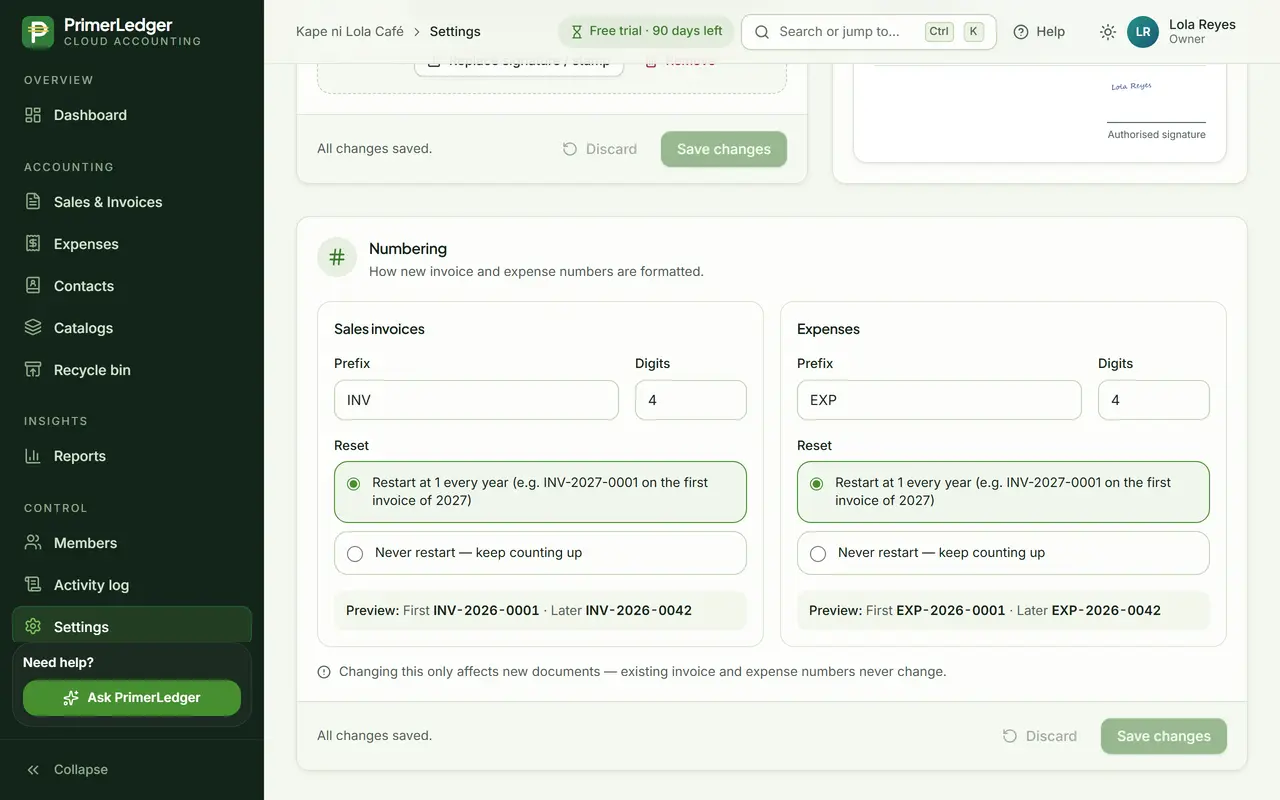
Your numbering
Choose your own prefix and number of digits, and whether numbering restarts every year. Numbers are never skipped or repeated.
-
INV, SI, or your own letters.
-
INV-2027-0001 on January 1, or keep counting.
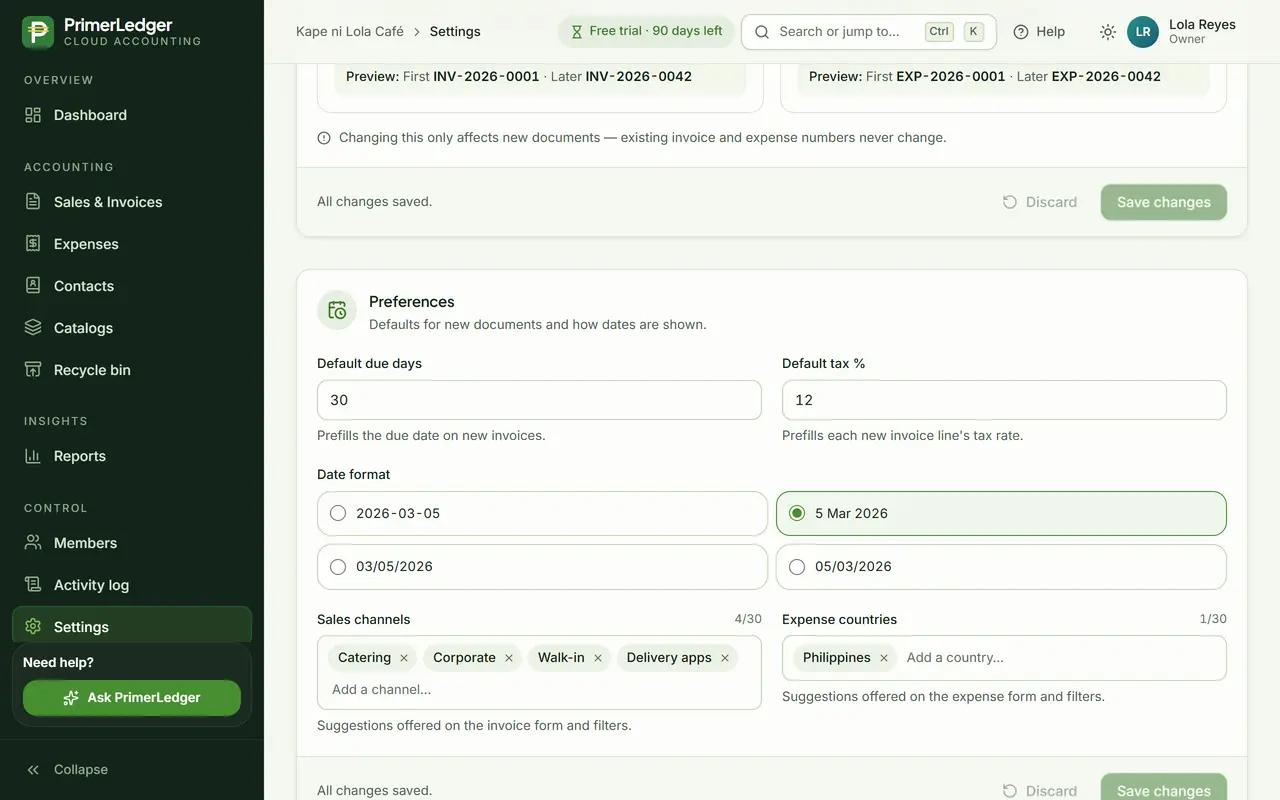
Preferences
Defaults that save typing: due days and VAT for new invoices, how dates look, and your sales channels.
-
Every new invoice line starts with it, 12% for a VAT-registered business.
-
New invoices get this due date.
-
Your own list: walk-in, catering, delivery apps.
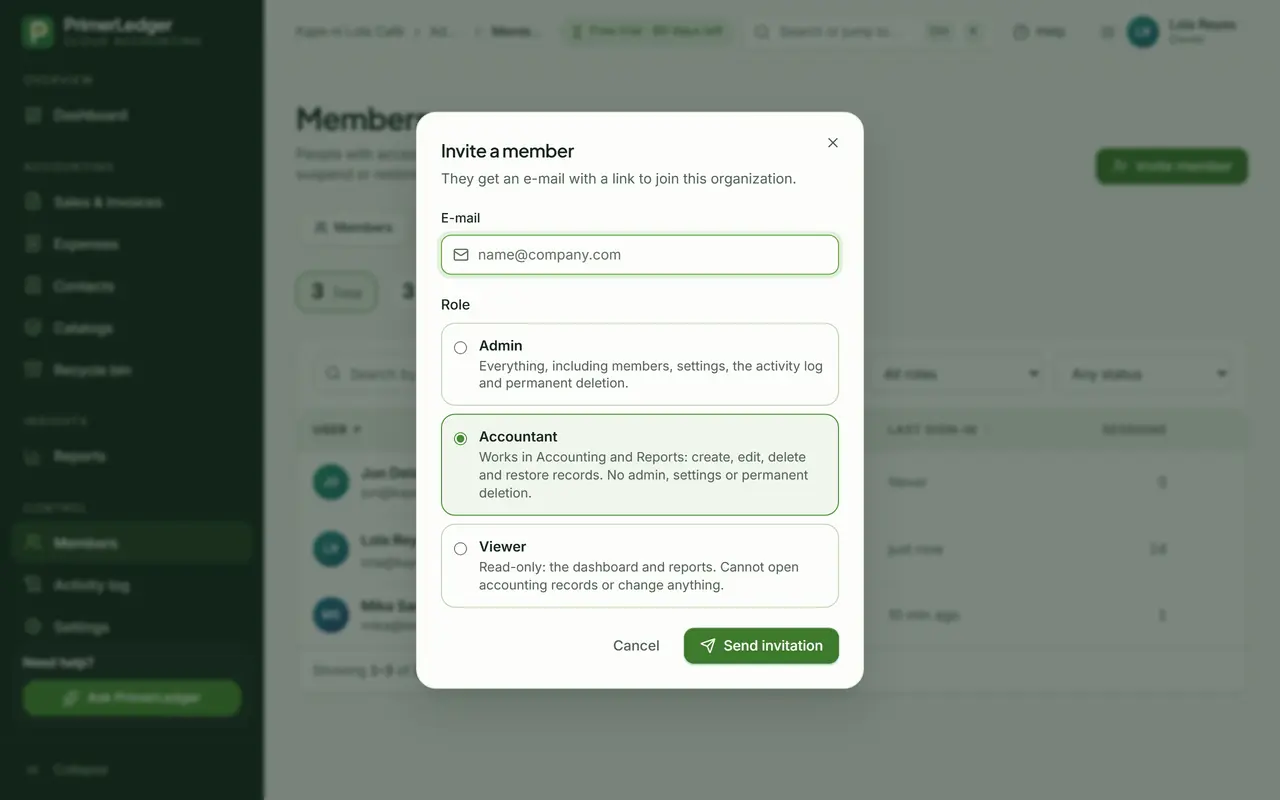
Invite your team
Invite your bookkeeper as Accountant and your staff as Viewers. Each role sees only what it should.
-
They get an invitation link by e-mail.
-
Owner, Admin, Accountant or Viewer.
Done. Your company on every document, numbered your way, with your team invited.
See it with your own numbers.
Three months free, every feature, no card needed.