Invoices that get paid, even in parts.
Create an invoice in a minute, attach the PO, download a PDF with your logo and signature, and record each payment as it comes in.
Sell
What you get
| Entry | What it means for you |
|---|---|
| ₱ with centavos, totals computed for you | Items, quantities, discounts and tax add up the same way every time. |
| Partial payments (hulugan) | Record each payment by cash, bank or GCash. The balance and status update themselves. |
| Overdue on Manila time | An invoice turns Overdue the day after its due date, here, not in another time zone. |
| PDF with your logo, TIN and signature | Your company details, bank details and signature or stamp print on every invoice. |
| Your own numbering | Your prefix and number length, reset yearly or never, like INV-2026-0001. No gaps, no repeats. |
| Attachments | Keep the PO, delivery receipt or contract with the invoice it belongs to. |
Try it here
Create your first invoice in 5 steps
Kape ni Lola Café bills a catering job for Bayanihan Print Studio. Follow it from an empty form to a numbered PDF.
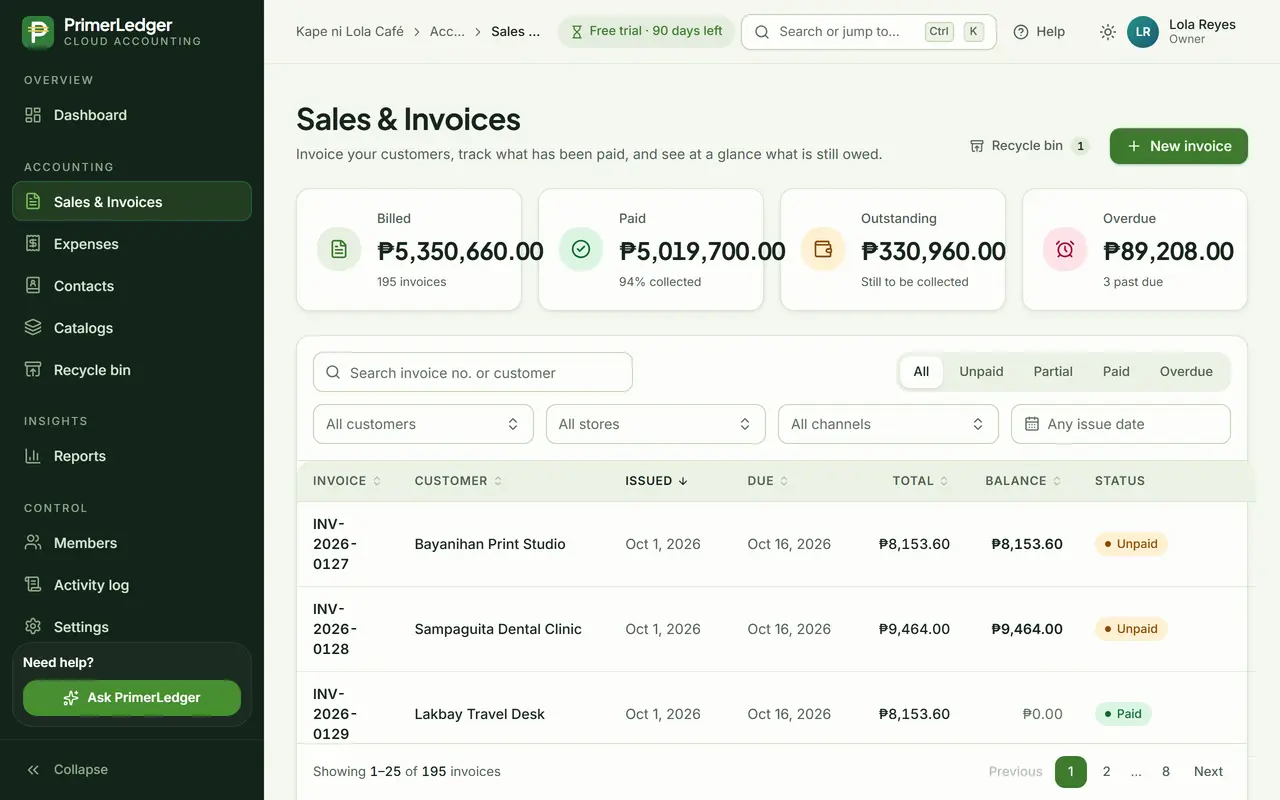
Start a new invoice
Open Sales & Invoices and press New invoice. The tiles above the list show what you billed, what came in and what is still owed.
-
Start here. The invoice number is added when you save.
-
Billed, paid, outstanding and overdue, always up to date.
-
Show only unpaid, partly paid, paid or overdue invoices.
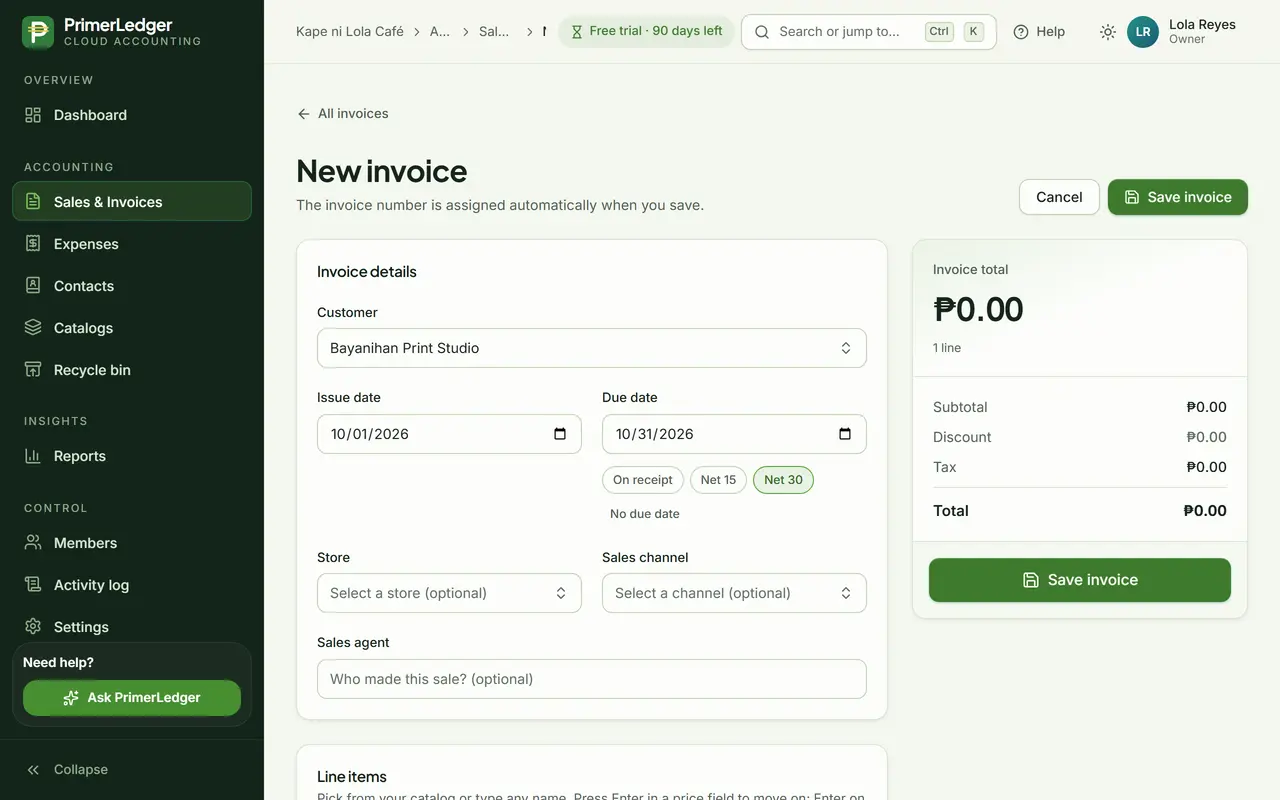
Pick the customer and terms
Type two letters and the customer appears. New customer? Create them right here. Net 30 sets the due date for you.
-
Type two letters to find a customer, or create a new one without leaving the form.
-
On receipt, Net 15 or Net 30 fills in the due date.
-
Today by default. Overdue is counted in Manila time.
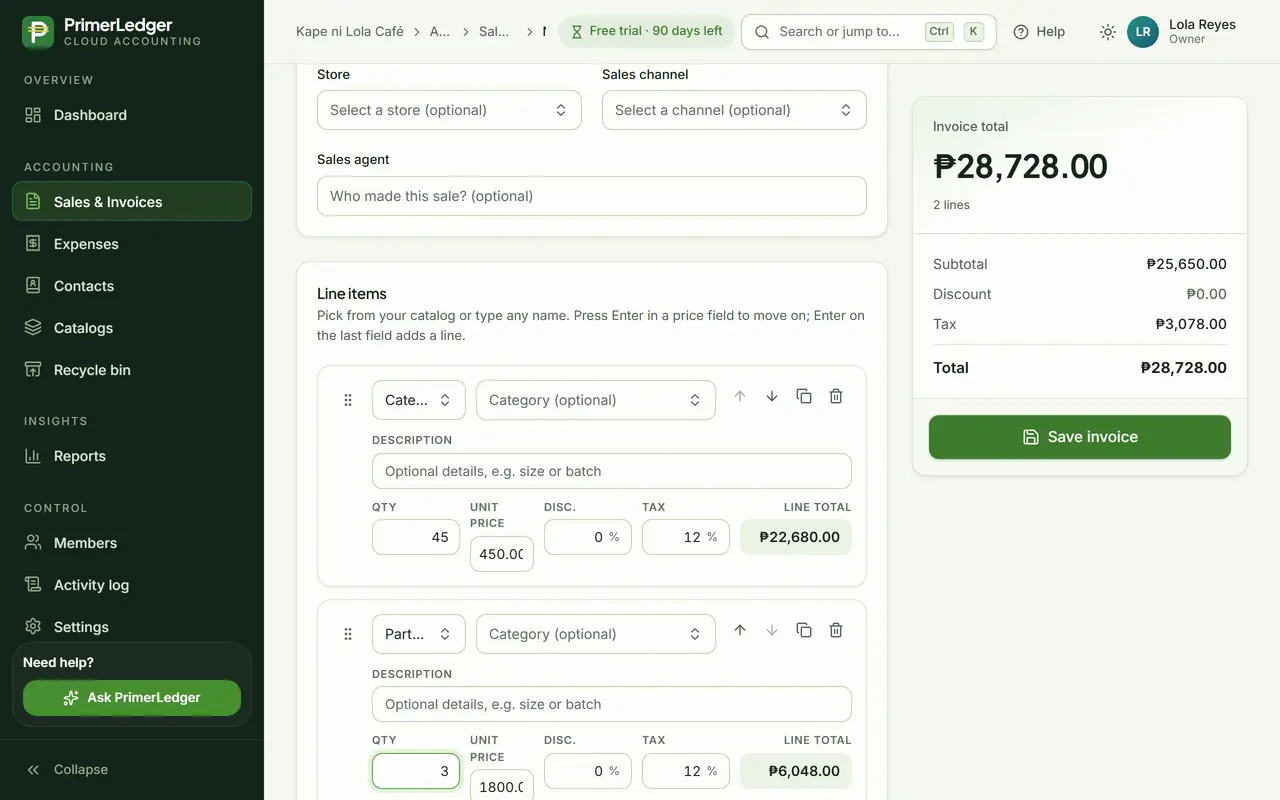
Add the items
Pick items from your catalog or type any name. Quantity, price, discount and VAT are per line, and the total adds up as you type.
-
From your catalog, with its usual price. Or type any name.
-
Quantity, price, discount and VAT for each line.
-
Subtotal, VAT and total, added up live. No formulas.
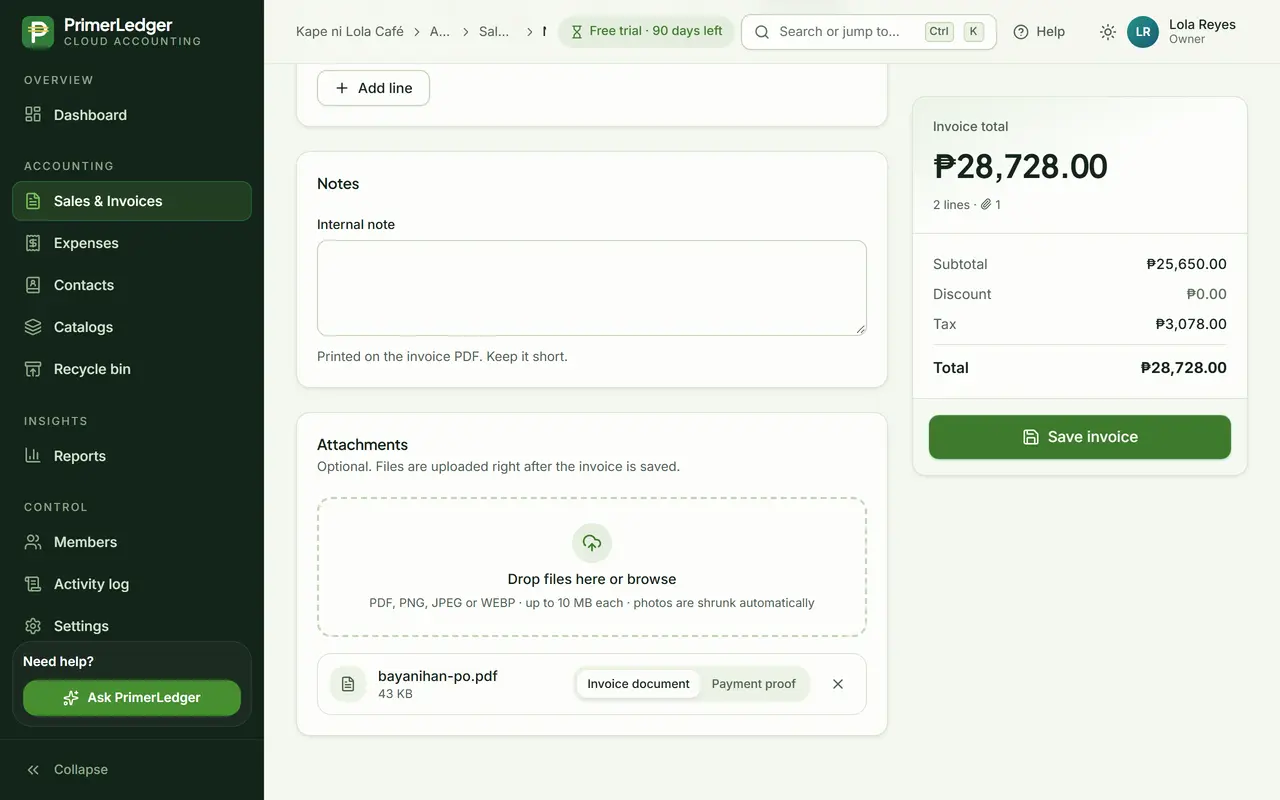
Attach and save
Attach the customer's purchase order so it stays with the invoice. Save, and the invoice gets the next number in your series.
-
The purchase order, kept with the invoice. PDF and photos both work.
-
Saving gives the invoice its number, in order and never repeated.
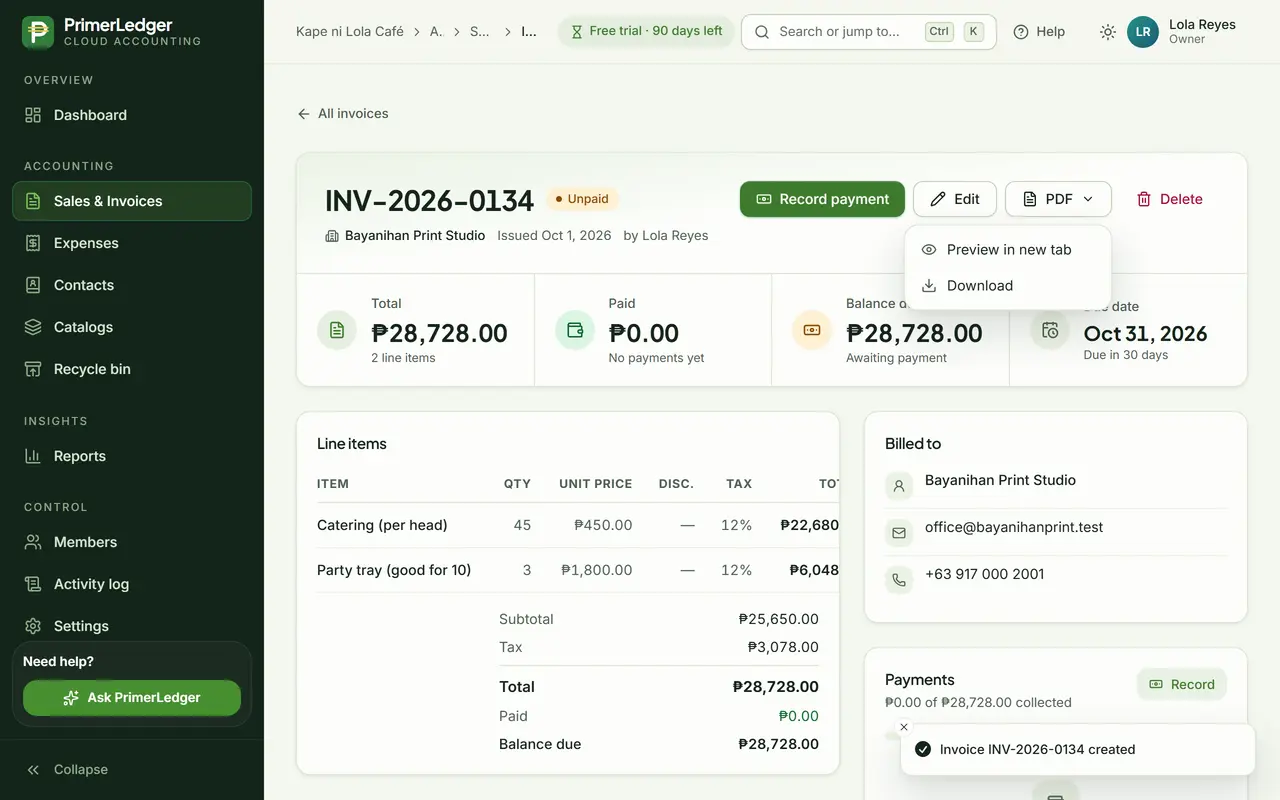
Download the PDF
The saved invoice has its number and starts as Unpaid. Download a clean PDF with your logo, TIN and signature, or record a payment when it arrives.
-
Numbered in your own series. The status changes as payments come in.
-
Download or print the invoice with your logo, TIN and signature.
-
When the customer pays, in full or in parts, record it here.
Done. That is a complete invoice: numbered, with your TIN and signature on the PDF, and ready to be paid in full or in parts.
Record a partial payment
Bayanihan Print Studio pays the catering bill in two parts. PrimerLedger keeps the balance right after each one.
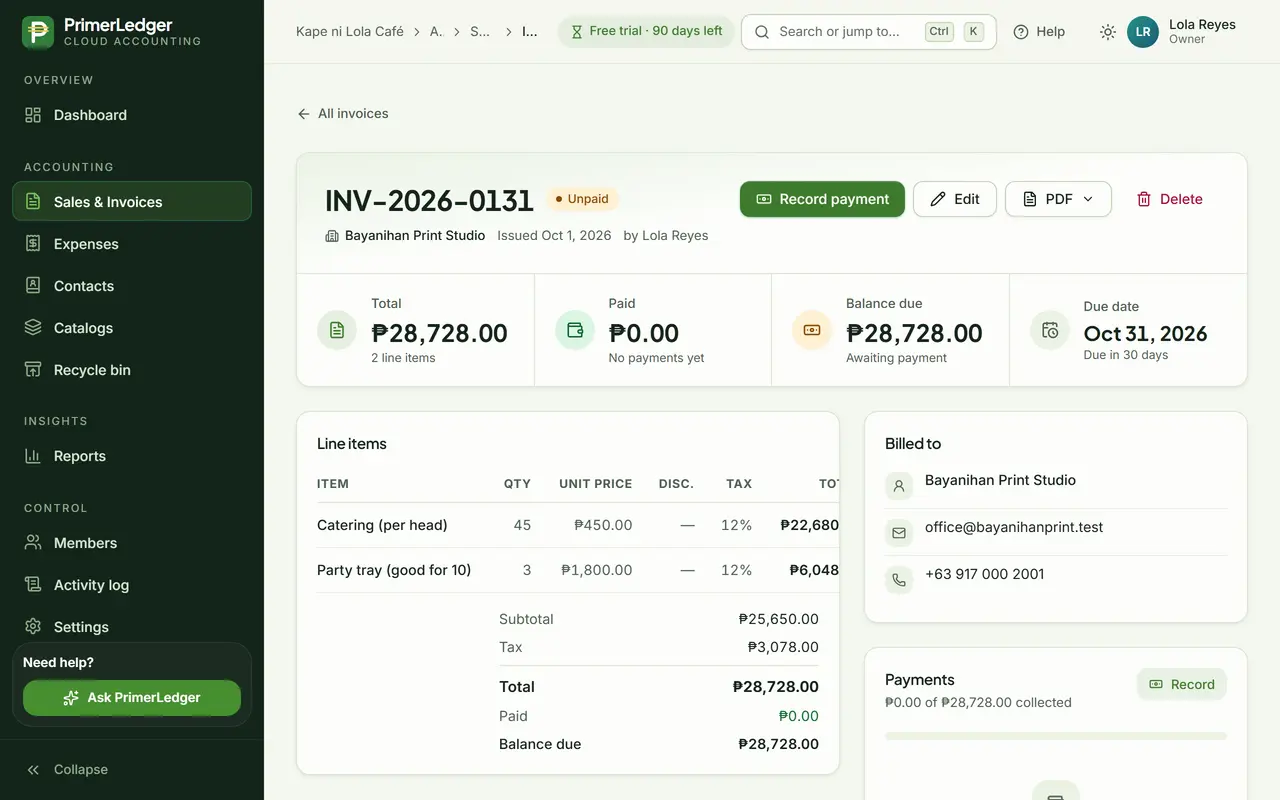
Open the invoice
Every invoice shows its total, what has been paid and the balance still due, with the due date beside them.
-
What the customer still owes on this invoice.
-
Open the payment form when money arrives.
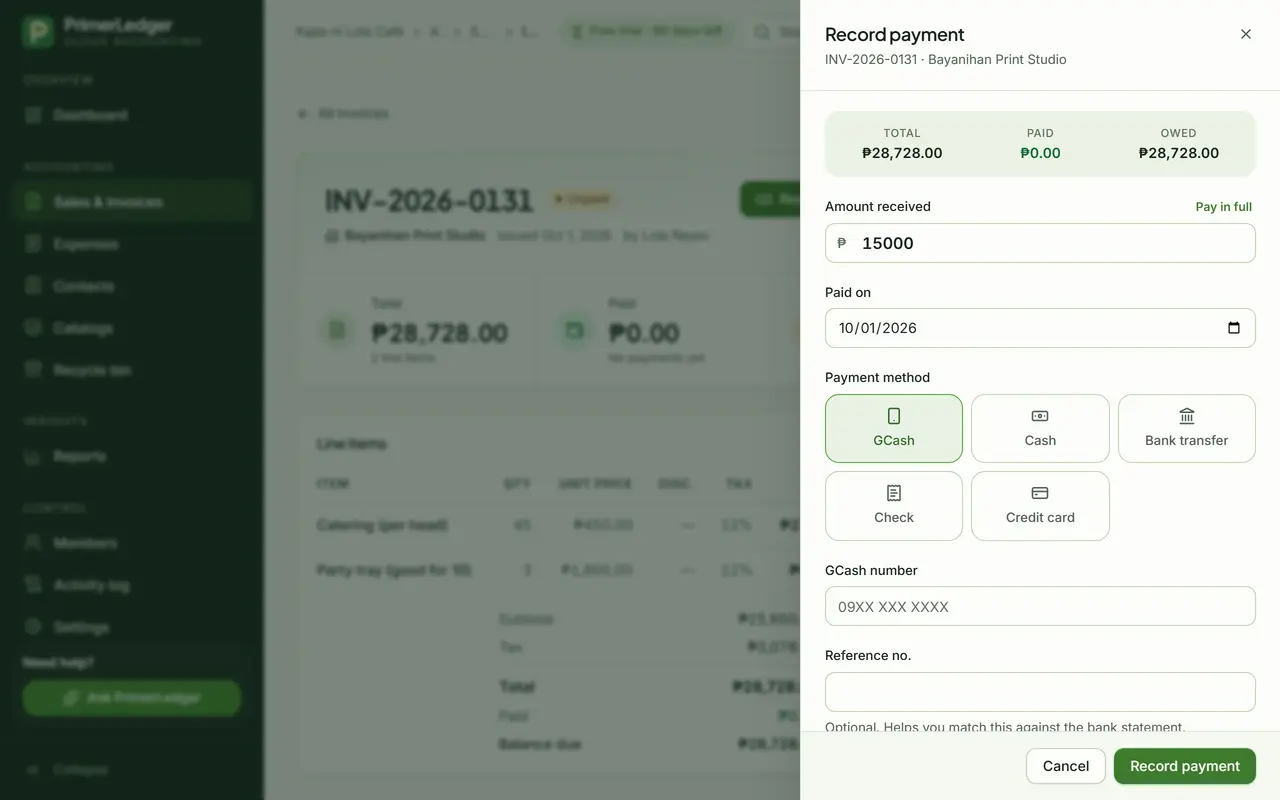
Record what arrived
Type the amount that came in, pick how it was paid and add the reference number if you have one.
-
Type what arrived. Pay in full fills in the rest for you.
-
GCash, cash, bank transfer, check or card.
-
Total, paid so far and still owed, right above the form.
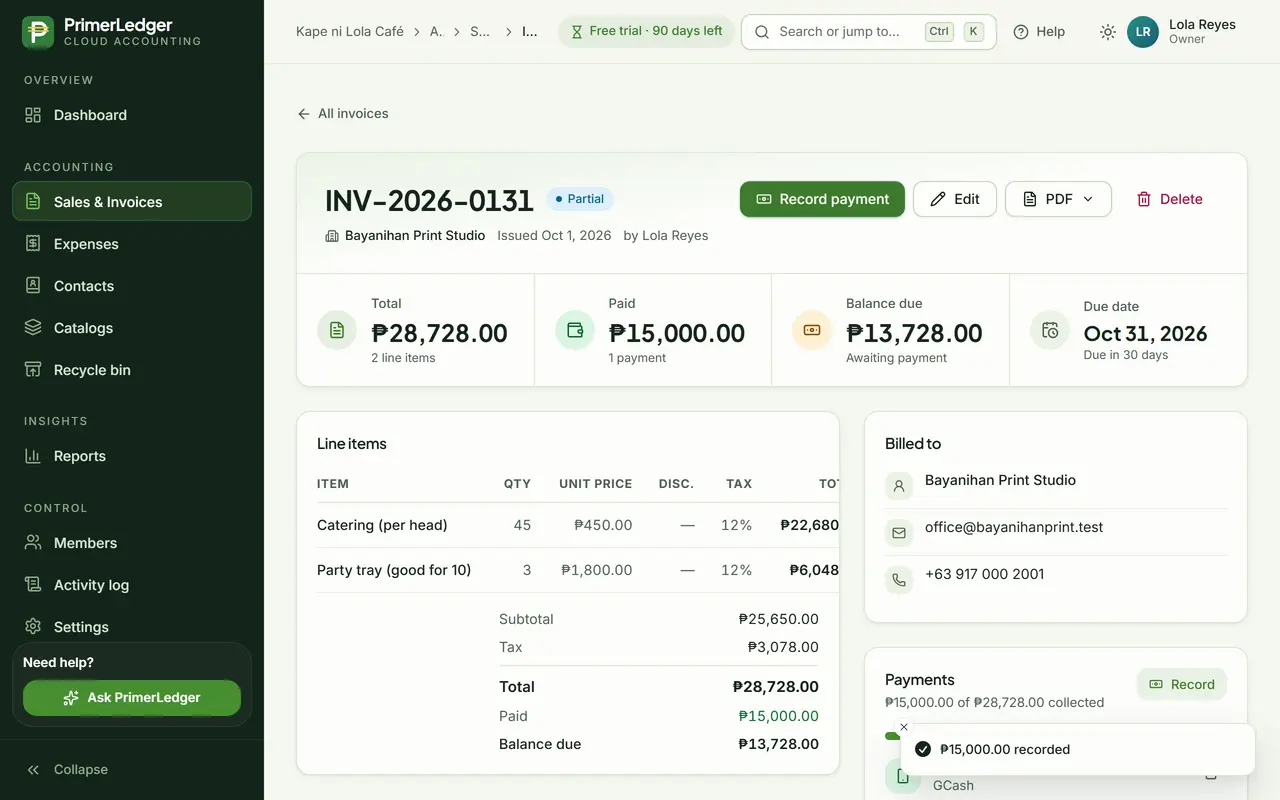
See the balance
The invoice turns Partial and the balance drops by exactly what was paid. The payment is listed with its method and date.
-
Unpaid, Partial or Paid. It changes by itself.
-
Everything received so far.
-
Always the total minus what was paid, to the centavo.
Mark it as paid
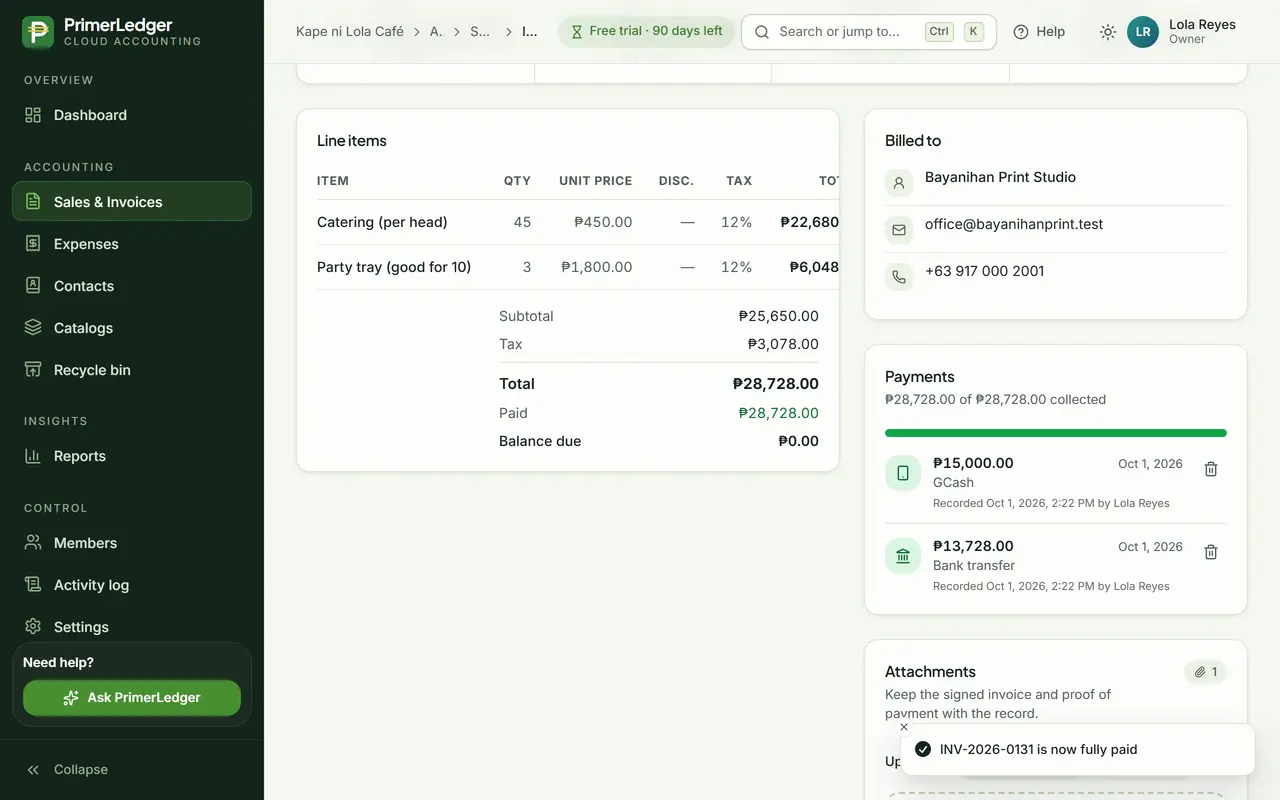
When the rest arrives, Pay in full records exactly the balance. The invoice turns Paid and both payments stay on record.
-
Each payment with its amount, method, date and who recorded it.
-
Nothing left to collect.
Done. Paid in parts, settled in full, and every payment on record with its date and method.
See it with your own numbers.
Three months free, every feature, no card needed.